


Many CNC machines ship with palm routers such as the Bosch Colt, Makita RT0701, or DeWalt 611. These routers work well for basic cutting, but many users eventually want more control, lower noise, and improved reliability.
If you're considering upgrading to a PwnCNC Spindle Kit or Spindle System, there are three main compatibility questions you should answer first.
Before continuing, you may also want to review this article which explains the differences between routers and spindles:
https://support.pwncnc.com/kb/article/62-2-comparing-spindles-vs-palm-routers/
It's a great place to start... then return here if you believe spindles are the direction you'd like to go.
Step 1: Determine the Mounting Size Your Machine Supports
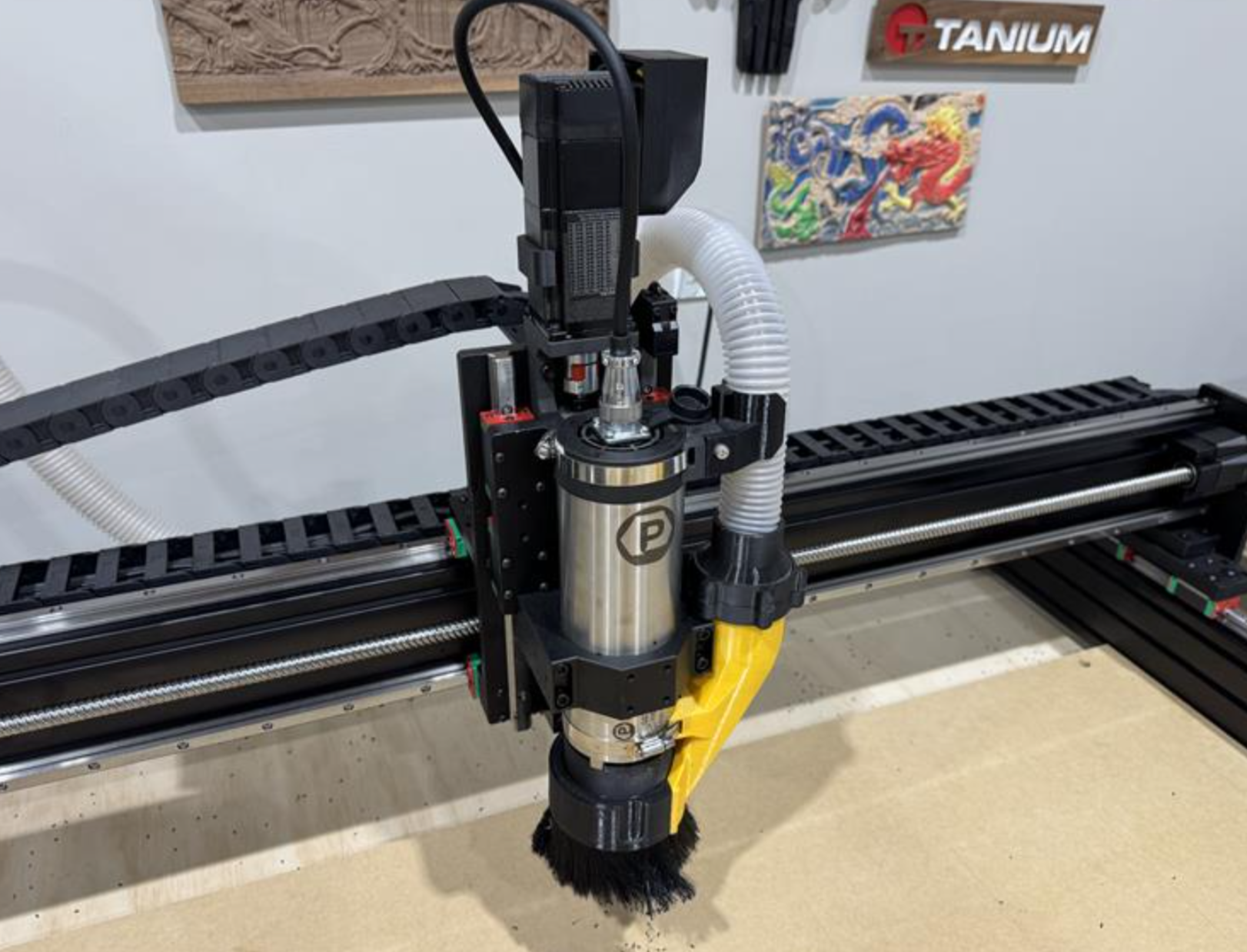
Spindles are typically available in two common diameters:
65mm Spindles
-
Similar in size to most palm routers
-
Often a direct replacement on machines designed around compact routers
-
Common on hobby-class CNC machines
80mm Spindles
-
Larger and more powerful
-
Better suited for heavier-duty machines
-
Requires an 80mm spindle mount
Some CNC manufacturers have designed proprietary spindle mounts, for their machines which means you may need to purchase a mount from the machine manufacturer.
The first question to answer is simply: What spindle diameter can your machine physically mount?
Step 2: Determine How Your CNC Controller Controls Spindle Speed
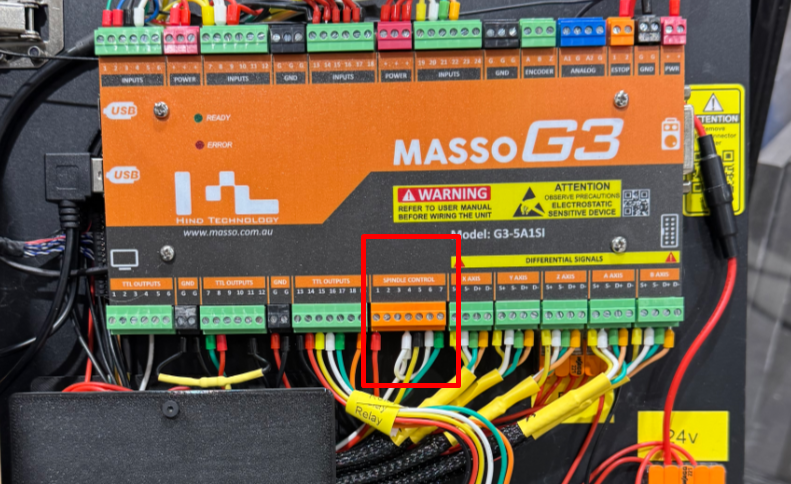
Spindle speed is typically controlled by a VFD (Variable Frequency Drive). Most CNC controllers can automatically control a VFD, but the method varies.
The two most common control methods are:
PWM (Pulse Width Modulation)
-
The most common control method
-
Allows your controller to set RPM automatically
-
Supported by the majority of CNC controllers
Modbus (RS-485 Communication)
-
More advanced digital communication
-
Allows deeper control and monitoring
-
Less common but becoming more popular on industrial systems
If your controller supports PWM spindle control, it can almost always control spindle RPM automatically.
This is the most important compatibility factor.
Step 3: Determine if Your Controller Can Start and Stop the Spindle
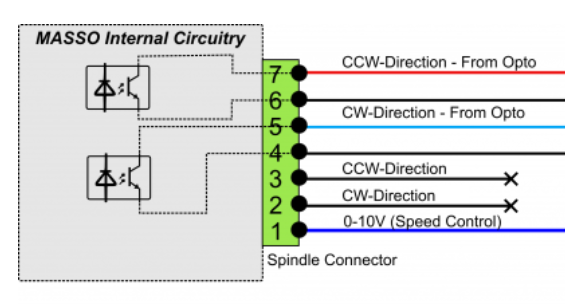
Many PWM Controllers can also control the spindle's run direction.
Typical options include:
CW / Forward
-
Standard cutting direction
-
Most common control output available by most controllers supporting PWM
CCW / Reverse
-
Less commonly used
-
Supported on some controllers
-
Required if you want to use the RapidChange ATC device.
These functions are typically triggered by relay outputs on the controller.
About 80% of CNC controllers provide at least one relay output capable of starting the spindle automatically.
What If My Controller Can't Start the Spindle Automatically?
No problem, our VFD is able to monitor the incoming PWM voltage and after it exceeds a certain threshold it will automatically trigger the CW / Forward function and start turning your spindle motor.
Even if your controller only controls RPM, you can still use a spindle kits and systems.
For many users, this works perfectly fine. For Carbide3d Users: https://youtu.be/SvAJuFM4eqE
How to Determine Your Machine's Compatibility
If you're unsure what your machine supports, the easiest way is to send us a few photos of your controller:
Helpful photos include:
-
Controller terminal connections
-
Any labeled PWM or spindle outputs
-
Relay output terminals
-
The controller model number
From those photos we can usually determine:
-
If PWM spindle control is available
-
If relay start/stop control is available
-
Which spindle size will fit your machine
Summary
When upgrading from a router to a spindle, the three things to check are:
-
Spindle mount size (65mm vs 80mm)
-
Spindle speed control method (PWM or Modbus)
-
Start/stop control via relay outputs
In most cases, if your controller supports PWM, you can successfully run a spindle.
If you'd like help determining compatibility, feel free to send photos of your controller and machine and we’ll be happy to help.

