


Pulses Per Revolution (PPR) and What You Should Actually Use
Our closed-loop stepper motors include onboard encoders and DIP switches that control how the motor reports its position back to the controller. This article explains what those switches do, what Pulse Per Revolution (PPR) means, and which setting you should use.
If you’re installing a PwnCNC Conversion Kit, this guide applies directly.
What “Pulses Per Revolution” Means
In a closed-loop stepper system, the encoder tracks how far the motor shaft has rotated and reports that information back to the drive.
PPR (Pulses Per Revolution) is the number of position pulses generated for one full rotation of the motor shaft.
Examples:
-
1600 PPR = 1600 feedback pulses per revolution
-
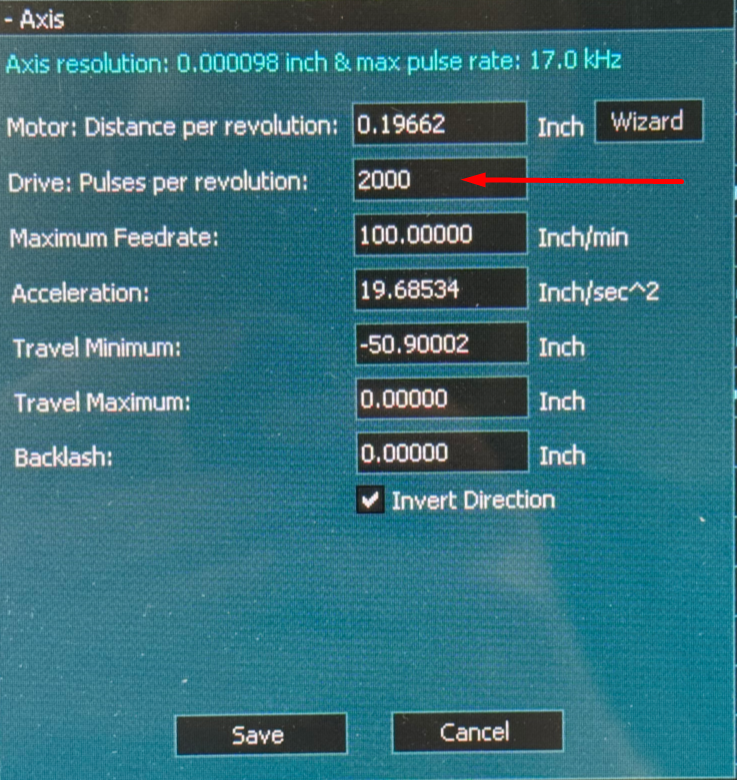
2000 PPR = 2000 feedback pulses per revolution
Higher PPR means finer feedback resolution, but it also increases signal frequency and system sensitivity.
DIP Switches on the Motor
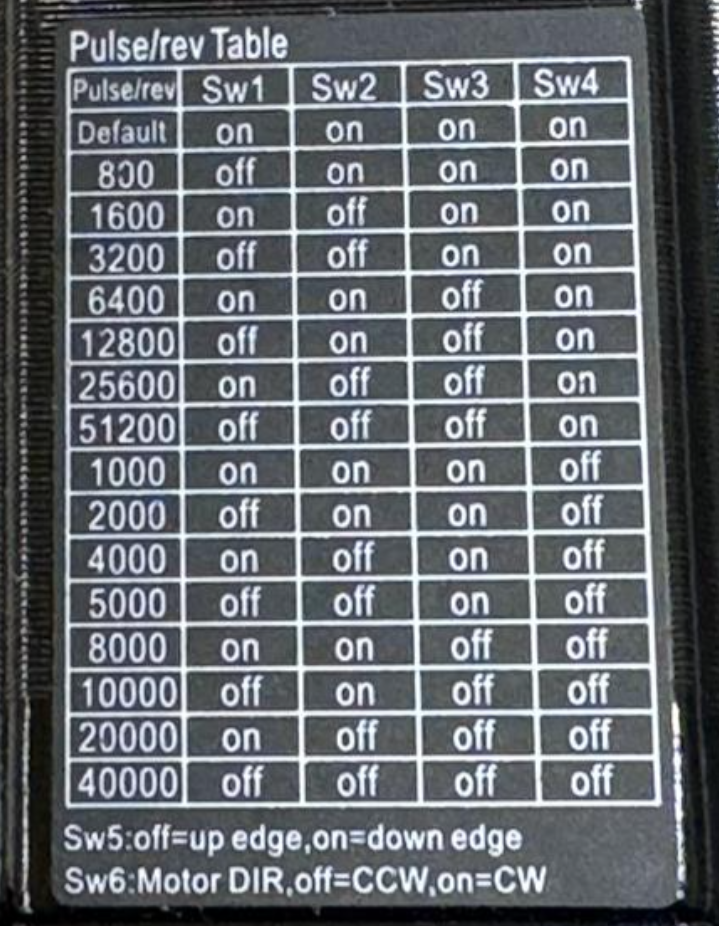
On the side of each motor you’ll find a DIP switch chart printed on the housing.
-
SW1–SW4: Set the encoder PPR value
-
SW6: Inverts motor direction at the hardware level
The PPR switches must match the encoder configuration in the controller. The direction switch should normally remain OFF, with direction handled in
software.
Supported PPR Settings
We support two encoder resolutions.
1600 Pulses per Revolution (Recommended)
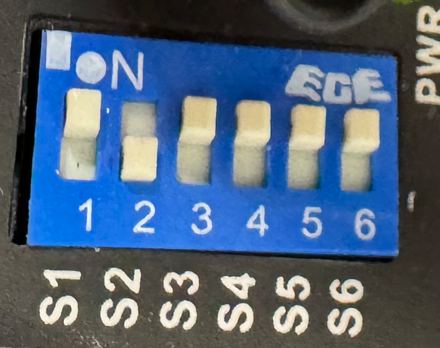
This is the default and recommended setting for nearly all PwnCNC conversion kits.
Why we recommend it:
-
Stable and reliable
-
Lower signal frequency
-
More tolerant of EMI and long cable runs
-
Plenty of resolution for woodworking, plastics, and light metal work
This setting is what we test, ship, and support by default.
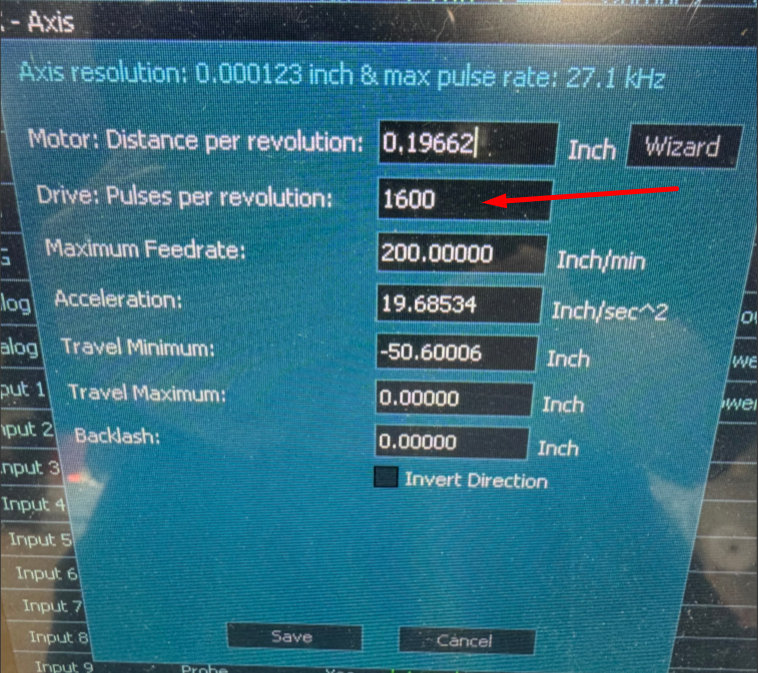
2000 Pulses per Revolution (Advanced Use Only)
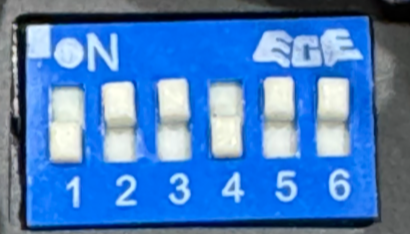
This provides slightly finer feedback resolution, but comes with tradeoffs.
Consider 2000 PPR only if:
-
You understand encoder frequency limits
-
Your machine is mechanically rigid
-
Your grounding and shielding are excellent
-
You are chasing very fine motion smoothness in metal work
Higher PPR does not increase torque or accuracy by itself. It only refines feedback.
Practical Comparison
| Feature | 1600 PPR | 2000 PPR |
|---|---|---|
| Stability | Excellent | More sensitive |
| EMI tolerance | Higher | Lower |
| Controller load | Lower | Higher |
| Smoothness | Very good | Slightly improved |
| Recommended for most users | ✅ Yes | ❌ No |
Direction Switch (SW6)
The direction DIP switch physically inverts motor rotation.
Recommendation:
Leave SW6 OFF and control direction inside the Masso controller.
Using both hardware and software inversion at the same time is a common cause of confusion.
Important Notes
-
Changing DIP switches does not fix wiring or grounding problems
-
Encoder alarms are protection, not failure
-
If your machine runs well, do not change PPR
-
If alarms appear after changing PPR, revert to 1600 immediately
Our Recommendation
For nearly all users:
Set the motors to 1600 PPR and leave them there.
If you believe you have a valid reason to run 2000 PPR and want confirmation, contact support before changing anything.

